Google Business Profile for contractors: setup to map results
How to set up and verify a Google Business Profile for contractors, what Google says decides map rankings, and the mistakes that get trade profiles suspended.
16 min readTradeShopKit
- local search
- marketing
- google business profile
A Google Business Profile for contractors is the free listing that puts your business in Google Maps and in the map box at the top of local searches. To show up there you need a verified profile, your address hidden if customers don't come to you, the right primary category and your real business name. After that it's reviews and photos, week after week. Google says it ranks local results on relevance, distance and prominence, and the only way to pay for placement is through ads. The free listing can't be bought.
First question: do customers come to you?
It doesn't matter much whether you're a plumber, an electrician or you run a pest control route. Nearly everyone in the trades is what Google calls a service-area business, because you drive to the customer and they never see your garage.
That changes the setup:
- If customers never visit your address, Google's guidelines say to hide it. Their own example is a plumber working out of a house.
- If you also have a shop or office where people walk in during posted hours (common for auto repair, and for some HVAC and pest control outfits with a counter), you're a hybrid business. You can show the address and set a service area too.
- If you rent a mailing address you don't actually work from, that address isn't eligible at all. We'll come back to this one, since it's the most common way trade profiles get suspended.
Figure out which one you are before you create anything.
Setting up the profile, in the order that saves rework
Before you sit down, have your business license handy, plus a utility bill or registration document with the business name on it, and a phone you actually pick up.
- Search for yourself first. Pull up Google Maps and look. Sometimes Google has already built a listing from public data, and if so you claim that one instead of making a second. Google allows one profile per business location.
- Go to business.google.com/add and sign in with a Google account you'll control for years. A business email is safer than the personal account of the one office person who might leave next spring.
- Type your business name exactly as it appears in the real world: the sign, the van, the invoices, the license. Nothing extra (more on that in a second).
- Pick your primary category. The most specific one that says what your business is. Details below.
- Answer the location question honestly. If customers don't visit you, say no to showing a location and enter service areas instead.
- Add your service areas. You get up to 20, as cities, ZIP codes or similar areas (not a radius). The whole area shouldn't stretch past about two hours' drive from your base.
- Add your phone number and website. Use a local number the business controls directly. Google says numbers that forward to someone else's call center or lead service aren't acceptable, and premium-rate numbers aren't either.
- Verify. Pick from whatever methods Google shows you (table below). While it's pending, leave your name, address and category alone.
- Fill in the rest once you're verified: hours, services, description, photos, logo, opening date.
- Grab your review link from the dashboard and start sending it after every finished job.
Your business name has to match your van
A lot of contractor profiles go wrong right here. You see a competitor listed as "Smith Plumbing | 24 Hour Emergency Plumber Miami" and figure you should do the same.
Google's guidelines say to use your real-world name, and they specifically rule out adding:
- Taglines or marketing phrases
- Service descriptions
- Location details
- Hours, such as "Open 24 hours"
- Phone numbers or web addresses
"Smith Plumbing" is fine. "Smith Plumbing & Drain Cleaning" is fine too, but only if that's really what's painted on the truck and printed at the top of your invoices. Google also says legal suffixes like LLC or Inc. need real-world proof that you use them.
Changing the name after verification can mean verifying all over again. So if you really want a keyword in there, rebrand for real first (signage, license, invoices) and update Google after.
Choosing categories: "this business IS a..."
Google's test is easy to remember. A category should finish the sentence "This business is a," and not "this business has a."
You get one primary category and up to nine more. Google says to use as few as you can, make them as specific as you can, and not use them to sneak in keywords.
A few examples:
- A drain and repipe company: primary "Plumber," plus drain-related categories only if they genuinely describe the business
- A residential HVAC company: usually whichever heating and air conditioning category fits your main work, not a generic "Contractor"
- An electrician who mostly does panel upgrades and EV chargers: primary "Electrician," with those specifics listed as services rather than extra categories
The primary category is the one Google asks you to pick to represent your main business, so spend your time on that one. Everything else you do goes in the Services section, where you can describe each job in plain words.
Not sure what people near you actually type? ("AC repair" or "HVAC service"? "Drain cleaning" or "rooter"?) Put your trade and town into the local keyword ideas generator and use what comes back in your services list and description. Keep it out of the business name.
Verification
Until you're verified you won't show up properly in Maps, and Google says your photos and videos won't appear either.
These are the methods Google lists. You'll only see the ones available for your profile.
| Method | How it works | What to know |
|---|---|---|
| Phone call or text | Code sent to your business number | Fastest when offered. Answer the number on the profile. |
| Code sent to your email | Not every profile gets this option | |
| Video | You show Google your business on camera | Most common option for service-area businesses |
| Postcard | Code mailed to your address | Google says most arrive within 14 days; codes expire after 30 days |
| Instant | Available if your website is already verified in Google Search Console | Not offered to every business |
Once you've done your part, Google says the review can take up to five business days.
For video, Google wants to see where you are (street signs, your building or the area around it), that the business is real (branded tools, equipment, marketing materials) and that you manage it (access to places or things only staff can get to). For most trade businesses that turns into a short walk:
- Start outside on a street sign or your building so the location is obvious.
- Walk over to the van and get the lettering with your business name in frame.
- Open the back doors and show the tools and stock.
- Finish with something only the owner has, like the keys to your storage unit or shop, your business license, or the folder of job paperwork.
Shoot it in daylight, in one continuous take, and move slower than feels natural.
Also, Google says it will never ask you for your verification code. If someone calls "from Google" asking for it, hang up.
How Google says local ranking works
Google has a short help page on local ranking. It says results come down to three things, and that there's no way to request or pay for a better local ranking.
| Google's factor | What Google says it means | What you control |
|---|---|---|
| Relevance | How well your profile matches what someone searched | Primary category, services list, description, complete and accurate details |
| Distance | How far you are from the person searching | Very little. You can't move your base, and faking an address gets you suspended. |
| Prominence | How well known your business is | Reviews (count and rating), links to your website, being mentioned around the web, replying to reviews |
Google's own tips for improving your position fit on one line: verify, keep your info accurate and complete, add hours (special hours included), respond to reviews and add photos.
What that looks like for a contractor
Distance is the one that drives people nuts. Say you're based on the south side of town. You'll show up more easily for a homeowner three streets over than for one 30 miles north, and that's by design. Adding a far-off city to your service area tells customers you'll drive there, but your pin stays exactly where it is.
Relevance mostly comes from your category and services. When someone searches "tankless water heater install" and you've listed that service with a clear description, Google has something to match. A profile that just says "Plumber" gives it less to work with.
Prominence is where you can outwork the shop down the road. You can't move closer to customers. You can collect more reviews than they do and answer every one.
Google doesn't publish how much each factor weighs. Any article that tells you otherwise is guessing, so start with what Google actually says.
Reviews
Reviews feed prominence, and they're also what a homeowner scrolls through on the couch before deciding who to call.
Google is fine with you asking customers for a review, sharing your review link and putting a QR code on your paperwork. Its help pages suggest both of those last two.
What Google's contribution policy doesn't allow:
- Paying for reviews, or offering discounts, free service or gifts in exchange for them
- Only asking the customers you think are happy (Google calls out selectively soliciting positive reviews and discouraging negative ones)
- Reviews from employees, family or anyone with a conflict of interest
- Pressuring customers to leave a review on the spot
- Offering something to get a negative review changed or removed
So the discount-for-a-review card is out, and so is the "happy? review us; not happy? call us first" setup.
A request that gets sent (and answered)
Text it right after the job, with the link in the message. Something like:
"Thanks for having us out today, Maria. If you have a minute, a Google review helps other homeowners in the area find us: [link]. Mike, Smith Plumbing."
That's it. Mike can send that from the driveway before he starts the van. If you'd rather not write these yourself, the review request generator does texts and emails for your trade, including a follow-up for the customers who meant to get to it and didn't.
Replying
Google's advice is to keep replies short, polite and specific, and to take complicated complaints offline. With a bad review, own the problem, don't argue in public, and leave a direct number so they can reach you.
Photos, hours and the rest of the profile
Small jobs, all of them. But this is the "complete and accurate" part Google keeps coming back to.
Photos
Google takes JPG or PNG and recommends at least 720 by 720 pixels. Videos can run up to 30 seconds. Skip heavy filters or editing (Google says so), and don't panic when a new upload takes a day or two to show up.
What to upload, roughly from most to least useful:
- Your logo and a clear cover photo
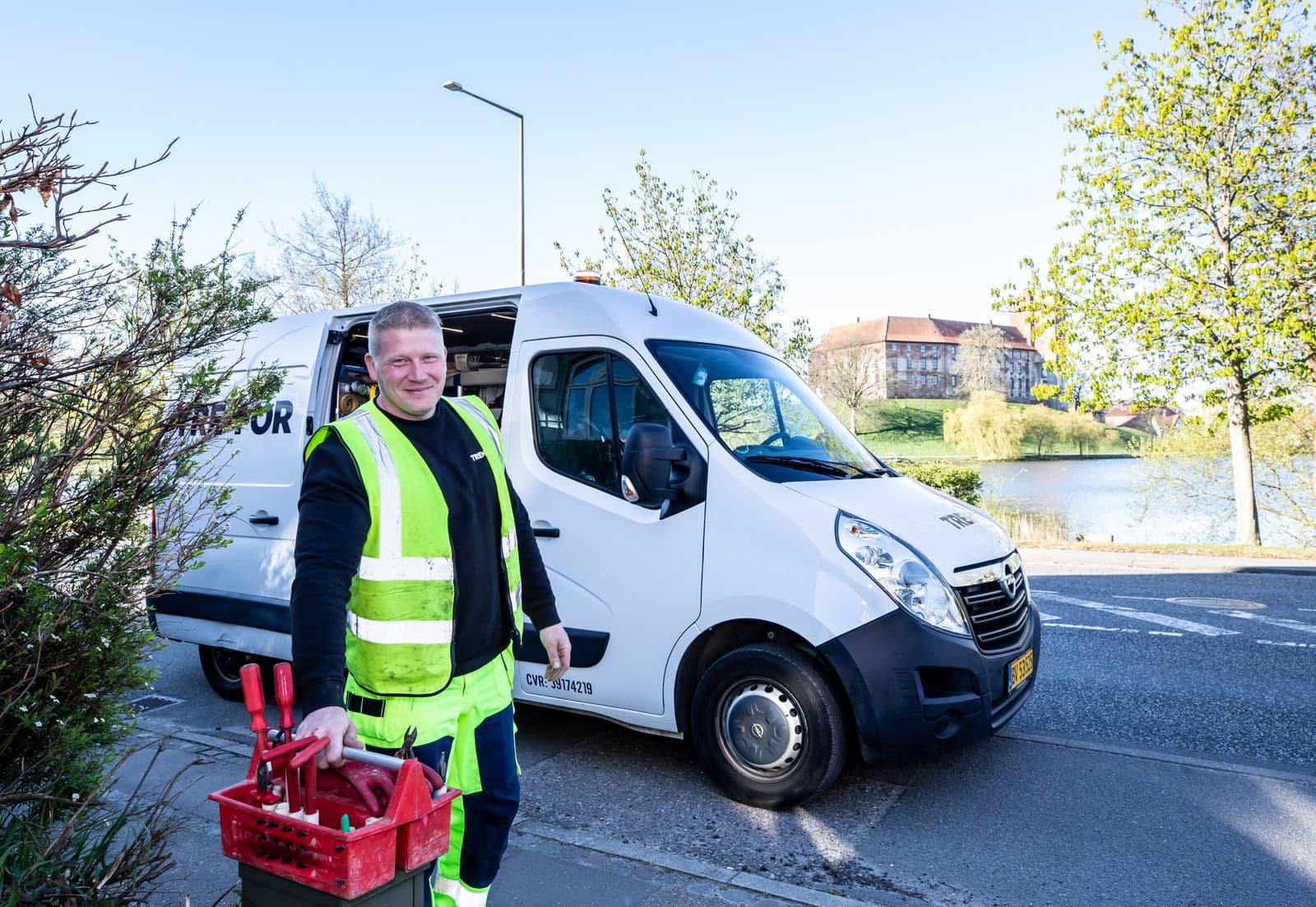
- The van or truck with the lettering visible
- You and the crew in uniform (people want to know who's about to ring their doorbell)
- Real before-and-after shots from jobs, with no house numbers or personal details in frame
- A short video walking through a finished install
Hours
List the hours someone actually answers the phone. If you really do pick up at midnight, put that in your hours. If you don't, don't.
For holidays, use special hours. Google recommends confirming them even when nothing changes, so customers can see the listing is current. Closed for a week or more? Google says to mark the business temporarily closed instead.
Description
You get 750 characters. Google suggests covering what you offer, what makes you different and how long you've been in business, and says to leave out links and heavy promotion.
For a trade business, that means your main services, the areas you cover, your license status and one real differentiator, like upfront pricing, same-day service or a warranty you actually honor. The Google Business Profile description generator writes one that fits the limit from a few details you give it.
What gets contractor profiles suspended
Google can suspend or disable profiles that break its guidelines. These are the ones trade businesses trip over most, all straight from Google's rules:
- A virtual office. If you rent a mailing address but don't work there, Google says it isn't eligible.
- A PO box or remote mailbox as your address.
- A co-working space without signage, staff there during business hours, and customers received there.
- Showing your home address when customers don't come to you. Service-area businesses should hide it.
- A business name stuffed with services, cities or "24/7."
- More than one profile for the same business, including a separate listing for each city you serve.
- A service area stretching well past about two hours' drive from your base.
- A tracking or call-center number the business doesn't directly control, or a premium-rate number.
- Bought or incentivized reviews, or reviews from staff and relatives.
- Categories you aren't, picked just to show up in more searches.
If it happens to you
Google's appeal asks for documents such as business registration, a business license, tax documents or a utility bill. The detail that trips people up is that the name and address on those documents have to match your profile exactly. Google also gives you 60 minutes to submit once you open the evidence form, so have the files sitting on your desktop before you click.
And don't create a new profile while the appeal is pending. Fix whatever caused it, then appeal.
Local Services Ads vs Google Business Profile
The Google Business Profile is free. It's your listing in Maps and the local map results, ranked on relevance, distance and prominence.
Local Services Ads are paid ads at the very top of Google Search for trade searches like plumbing or HVAC. Google says you pay per lead (when a customer contacts you through the ad), not per click. Businesses go through screening and verification to earn a Google badge, and Google says responsiveness and reviews affect where the ad shows.
Two things from Google's own pages worth knowing:
- Local Services Ads are moving into Google Ads as Performance Max campaigns with pay-per-lead goals. Google says the change started in August 2026 with US categories including plumbing, HVAC, electrical, roofing and pest control, with service-area businesses following later in 2026.
- Google says core business details for these ads sync from your Business Profile. A messy profile means a messy ad.
So which one? The profile, always first. It's free, it feeds the ads, and the reviews on it help both. Ads make sense once the profile is solid and you know what a job is worth to you, because that tells you what you can afford to pay for a lead. The marketing budget calculator helps you land on that number before you spend anything.
Thirty minutes a week keeps it alive
A profile nobody touches looks abandoned, and customers notice. This routine covers what Google says matters.
Weekly (15 to 30 minutes)
- Send a review request to every customer from the week's finished jobs
- Reply to every new review, good or bad
- Upload two or three real job photos
- Check that your name, hours and phone number still look right on the live listing
- Answer any messages or questions on the profile
Monthly
- Post one or two updates: a seasonal reminder, a finished project, or a service you want more of. The social media post generator writes these, and the same post works on Facebook.
- Check your hours and set special hours for next month's holidays
- Look at the performance numbers (calls, website clicks, direction requests) and note whether they're going up or down
- Search your main service plus your town from your phone and see where you land
Every few months
- Add anything new you offer to your services and description
- Compare your service areas with where your jobs actually came from
- Make sure your name and phone match on your website, invoices and directories
Your profile needs a website to point at
Google counts links to your website toward prominence, and plenty of customers click through to your site before they ever call.
If you don't have one yet, our website bundle is a five-page site written for your trade, with click-to-call on every page and a quote request form. Google Business Profile setup is included.
Quick answers
Do I need a physical address for a Google Business Profile?
You need a real address to verify, but if customers don't visit you, Google says to hide it and show a service area instead. A virtual office or PO box doesn't qualify.
How many service areas can I add?
Up to 20, and your overall area shouldn't go beyond about two hours' drive from your base.
How long does Google Business Profile verification take?
Phone and text codes can be quick. Google says reviews can take up to five business days, and postcards usually arrive within 14 days.
Can I pay Google to rank higher in Maps?
No. Google says there's no way to pay for better local ranking. Paid options like Local Services Ads are separate ad placements.
Should I add my city to my business name?
Only if it's genuinely part of your legal and real-world business name. Adding a city or service just for search breaks Google's guidelines and is a common reason for suspension.
Can I make a profile for each town I serve?
No. Google allows one profile per business location. Cover the other towns with your service areas.
Where to start
Verify, hide your home address, use your real name, pick one accurate primary category and ask every customer for a review. That handles most of what Google says it looks at. After that it's just showing up each week to reply, post a few photos and keep your hours honest, which honestly puts you ahead of most of the competition. The Google Business Profile description generator and the review request generator are good first stops, and if you need the website to go with it, see the website bundle.